
Home › Loyalty & Retention › Gift Card Apps
Head to headAs of October 2026
Shopify Native Gift Cards vs Bulk Gift Card Apps
Short answer
Native Shopify gift cards work well for a few cards: Products, Gift cards, Create gift card, one at a time, on every plan. Shopify masks the code after creation and its standard CSV export shows only the last 4 characters. For batches, full-code export and multi-currency control, Bulk Gift Cards fills those gaps.
Pick by situation
A few cards a month
Native Shopify. Free and built in.
100 or more cards in a batch
Bulk Gift Cards. CSV with preview, or a generator.
You need to print or send the codes
An app that captures codes at creation. Native shows only the last 4.
| Topic | Native Shopify | Bulk Gift Cards |
|---|---|---|
| Create cards | One at a time, Create gift card form | CSV (with preview) or generator |
| Full code after creation | Not viewable in admin. Last 4 characters only | Saved at creation, revealed in an admin block, exportable |
| CSV export | Last 4 characters of each code. Full-code export not supported | Every code as CSV |
| Import to create cards | The exported CSV cannot be imported | CSV import, and import of existing codes |
| Currency | One currency per card. Cross-currency redemption set at creation, permanent | Any currency the store sells in, redemption choice per batch |
| Max value | Admin cards up to $2,000 USD. Gift card products up to $10,000 USD | Not stated on the listing |
| Expiry | Optional. Default none. If set, default five years | Expiry date per card or batch |
| Balance edits | Not directly editable in admin | Not stated |
| Cost | Included on all plans. Third-party transaction fees apply for stores created from May 12, 2025 | Free 20 cards a month, Pro $49 |
Shopify's gift cards are fine for small jobs. This page uses Shopify's own help pages to show where they stop.
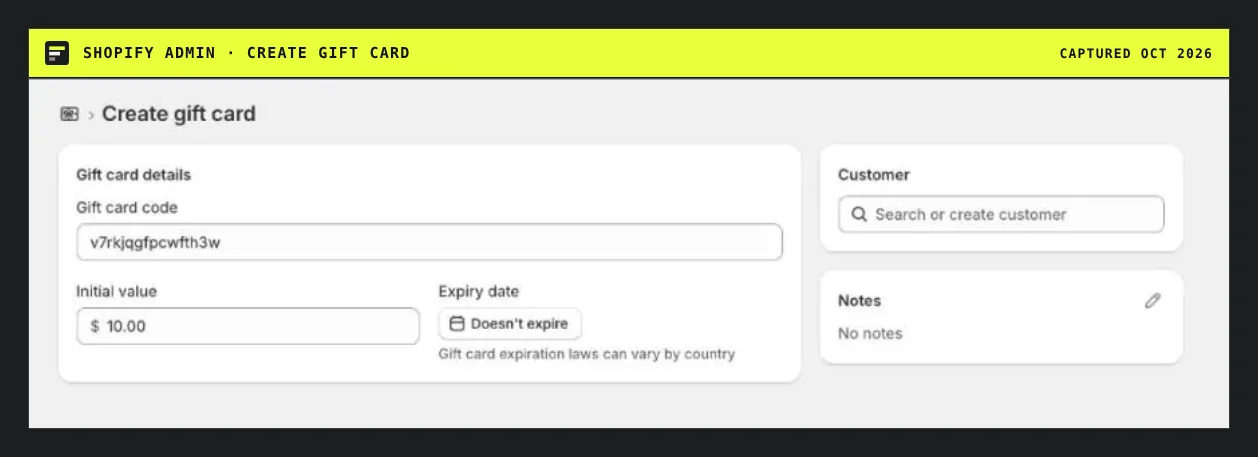
Native Create gift card: one code, one value, one customer per form.
Masked codes
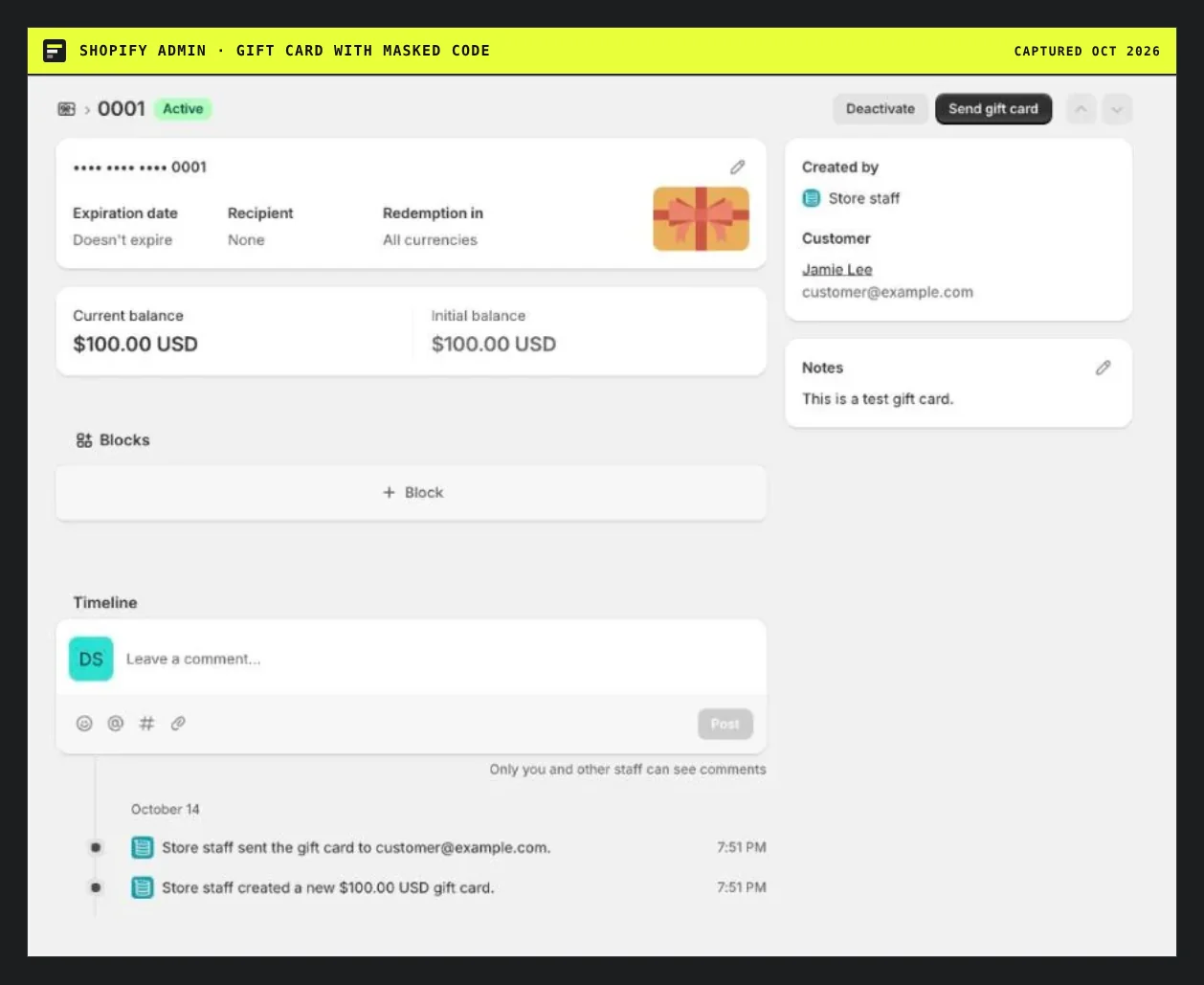
After creation the admin shows the code masked. Only the last 4 characters are visible.
The standard CSV export also carries only the last 4 characters. If you must send codes to a print vendor or load them into another system, the codes have to be captured when the card is created. Through the API, giftCardCreate returns the full code once. An app can store it.
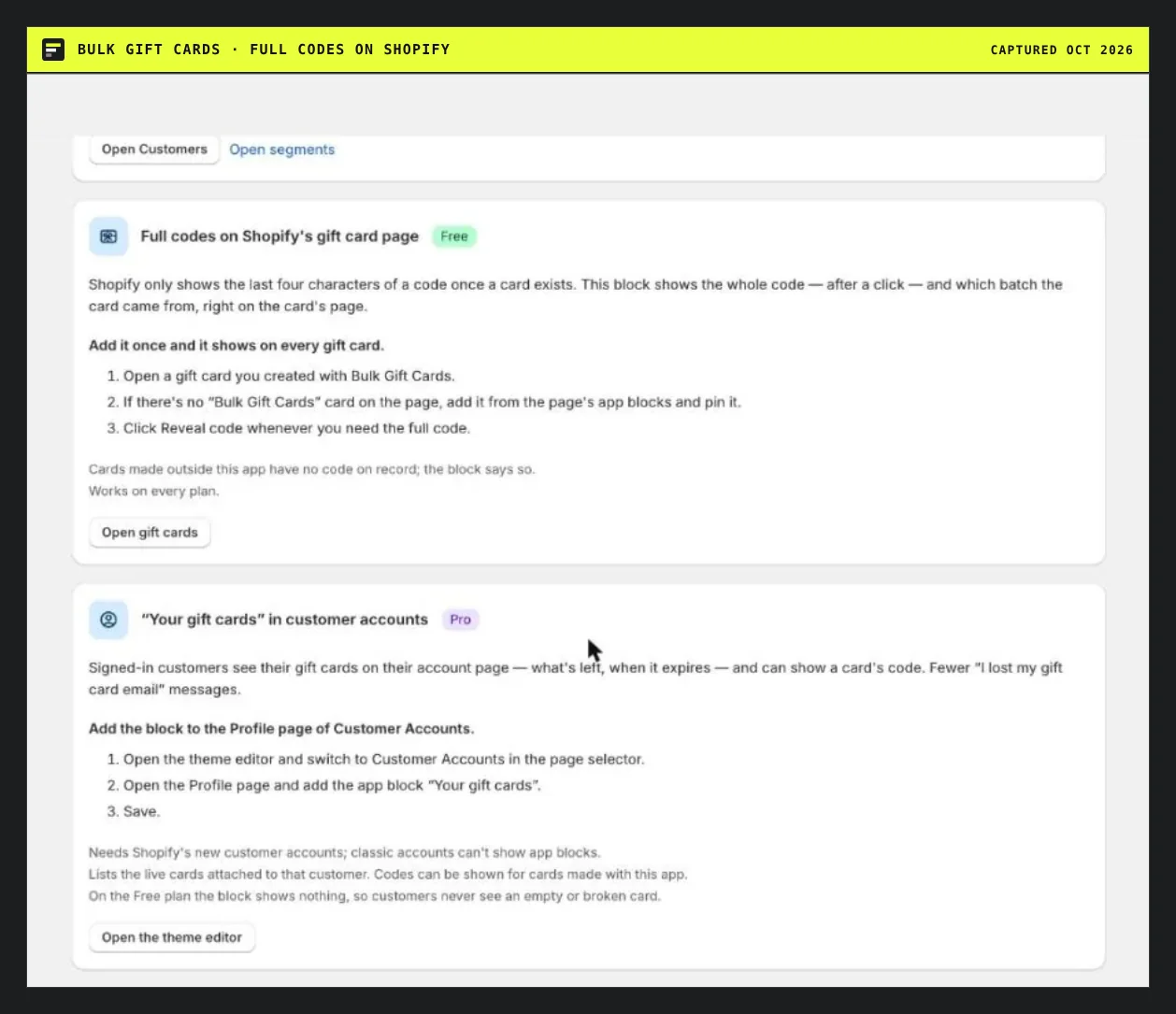
Bulk Gift Cards puts a block on Shopify's gift card page. One click shows the full code. Cards created outside the app have no code stored.
Native strengths
- No cost. Part of every plan.
- Channels. Cards created in admin and POS are interchangeable.
- Physical cards. Orderable from the Shopify Hardware Store in supported countries.
- Law-aware defaults. No expiry unless you choose one.
When to add an app
Add one when you create cards in batches, need full codes, sell in more than one currency, or want to issue to a customer list. The ranking and the bulk gift card list show the options. Fees on card sales are covered in the pricing explainer.
Sources: Shopify help on gift card overview, issuing gift cards and managing purchased gift cards. This is not legal or tax advice.
Questions people ask
Why can I only see the last four characters of a gift card code in Shopify?
Shopify masks it for security. According to its help page, the admin cannot show the full code once the card exists. Only the customer or recipient sees it. Apps that create cards through the API get the code once at creation and can store it.
How do I export all gift card codes from Shopify?
You cannot with the standard export, which includes only the last 4 characters. Shopify says ongoing or recurring full-code export is not supported. Use an app that captured the codes at creation, such as Bulk Gift Cards, BatchCard or GiftFix.
Which Shopify plans include gift cards?
All of them. Shopify's help says gift cards are available on all subscription plans.
Do Shopify gift cards expire?
No, not unless you add a date. Shopify's help gives the reason: expiry is illegal in some countries. A date you set defaults to five years and can be changed per card. Check your local rules.