
Home › Loyalty & Retention › Store Credit Apps
Head to headAs of October 2026
Shopify Native Store Credit vs Bulk Store Credit App
Short answer
Native Shopify store credit is enough for one customer or one refund: open the profile, issue credit, optionally set an expiry and notify them. Shopify's documented admin flow is one customer at a time, so for hundreds of customers, CSV uploads or post-purchase campaigns, Bulk Store Credit by Win-Win adds what native lacks.
Pick by situation
One customer, one refund
Native Shopify. Free, built in, and it handles refunds to store credit from the order page.
A list of 50 or more
Bulk Store Credit. CSV upload with per-row currency, expiry and reason.
Credit after every purchase
Bulk Store Credit Pro. Campaigns with percentage or fixed amounts and date windows.
| Topic | Native Shopify | Bulk Store Credit |
|---|---|---|
| Issue to one customer | Yes, customer profile, Store credit, Edit, Credit | Yes, through a one-row CSV or campaign |
| Issue to many at once | Not described in the admin help pages. API route exists | CSV upload, unlimited on Pro (Free is 20 rows) |
| Expiry | Set per issuance. No store-wide default | Optional expiration date per CSV row, YYYY-MM-DD |
| Notify customer | Optional checkbox | Not stated on the listing |
| Refund to store credit | Yes: whole or partial orders, returned or canceled items | Not listed. Use native refunds |
| Customer sees balance | Checkout section and account (needs sign in) | Adds a floating or header balance display |
| Post-purchase credit | No native campaign tool | Campaigns on Pro: percentage or fixed, tag targeting |
| Partial balance at checkout | Only the full balance can be applied | Same native redemption |
| Draft or edited orders | Not usable | Same native limits |
| Legacy customer accounts | Not available | Works with customer accounts |
| Max per account | Under $15,000 USD | Same native account |
| Cost | Included. Third-party transaction fees apply on credit-paid orders for stores created from May 12, 2025 | Free to 20 rows, Pro $49 a month |
| Source | Shopify store credit help and issuing store credit, checked October 2026 |
|---|---|
| Required permissions | Store credit and Edit store credit for staff; Refund to store credit for refunds |
Native store credit is a good feature with a narrow admin flow. This page lists what it does, using Shopify's help pages as the source, and where the Bulk Store Credit app picks up.
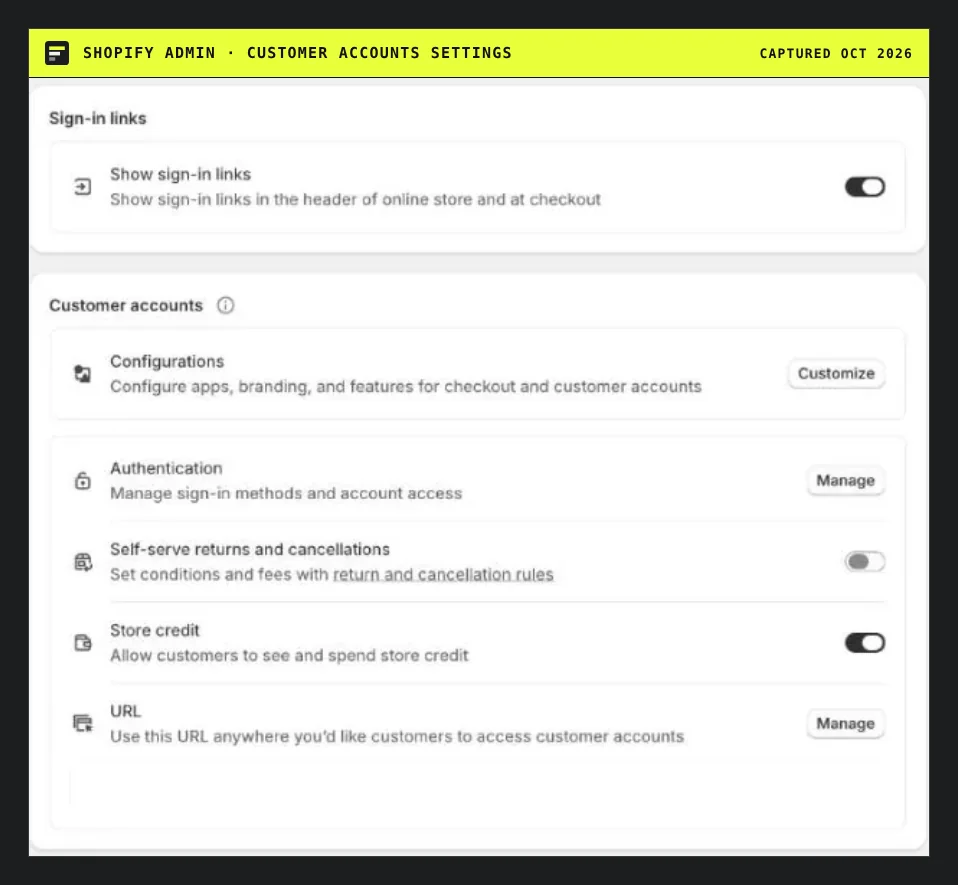
Settings, Customer accounts: the toggle that lets customers see and spend store credit.
What native does well
You can issue credit to a customer in about a minute: open the profile, choose Edit under Store credit, enter an amount, choose an expiry (or none), tick Notify customer if you want an email, then review and save. A refund can go to store credit for an entire order, part of one, returned items or a canceled order. Reports list store credit transactions and the outstanding balance, which is the figure your bookkeeper needs. Segments can filter by balance, upcoming expiry and last credit date.
Since May 20, 2025, apps may also refund to store credit. That is why third-party tools can now sit on top of the same native balance.
Where native stops
The help pages describe issuing to one customer at a time. To credit 300 customers $10 each, you would repeat that dialog 300 times, or write a script against the API.
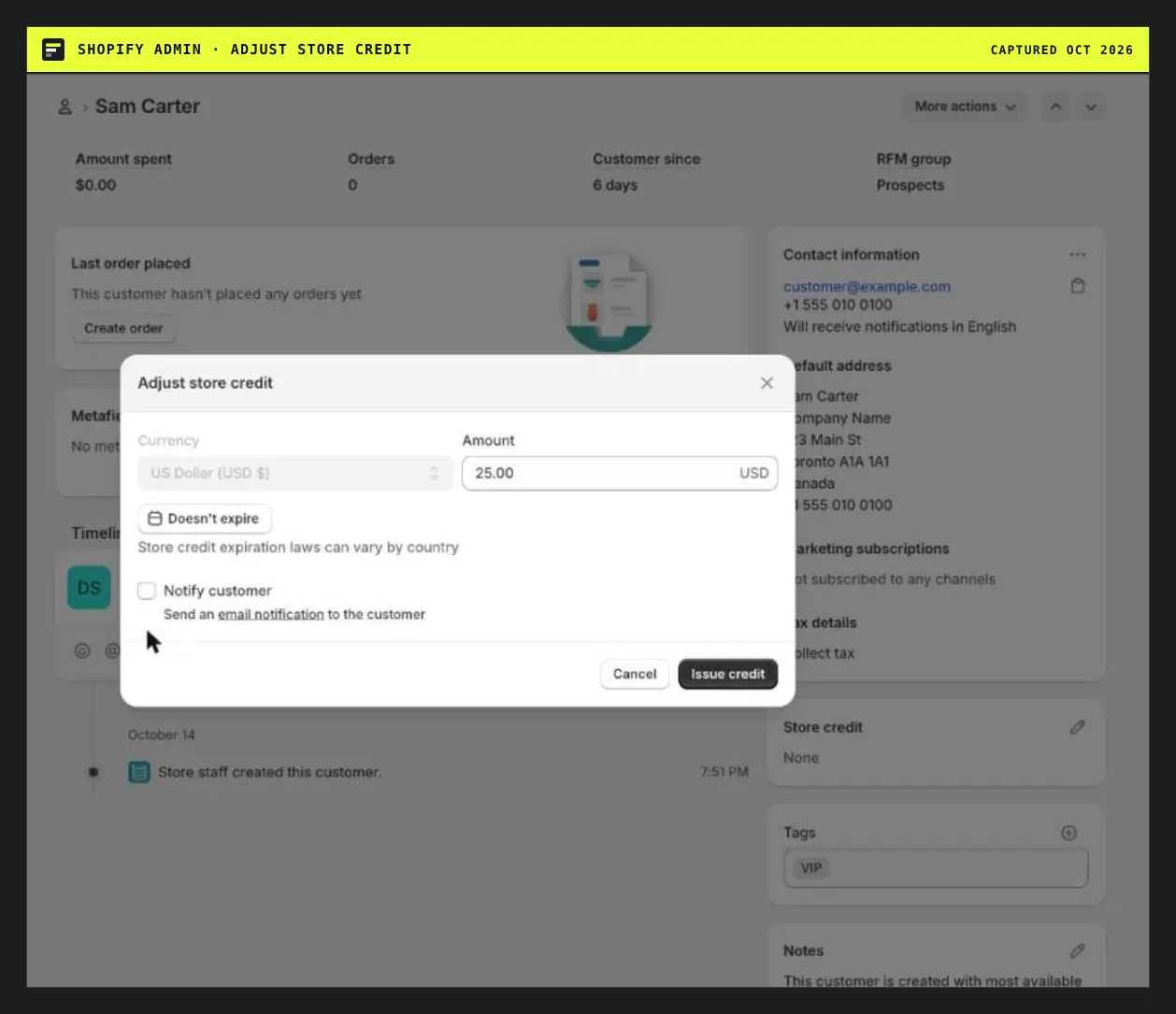
One customer per dialog. Amount, currency, expiry and a Notify customer option.
Other limits from the same help pages: only the full balance applies at checkout, draft and edited orders cannot use credit, subscriptions can use it for the first purchase only, and B2B credit attaches to company locations, not customer profiles. If your store has multiple currencies, only the balance matching the checkout currency shows.
What the app adds
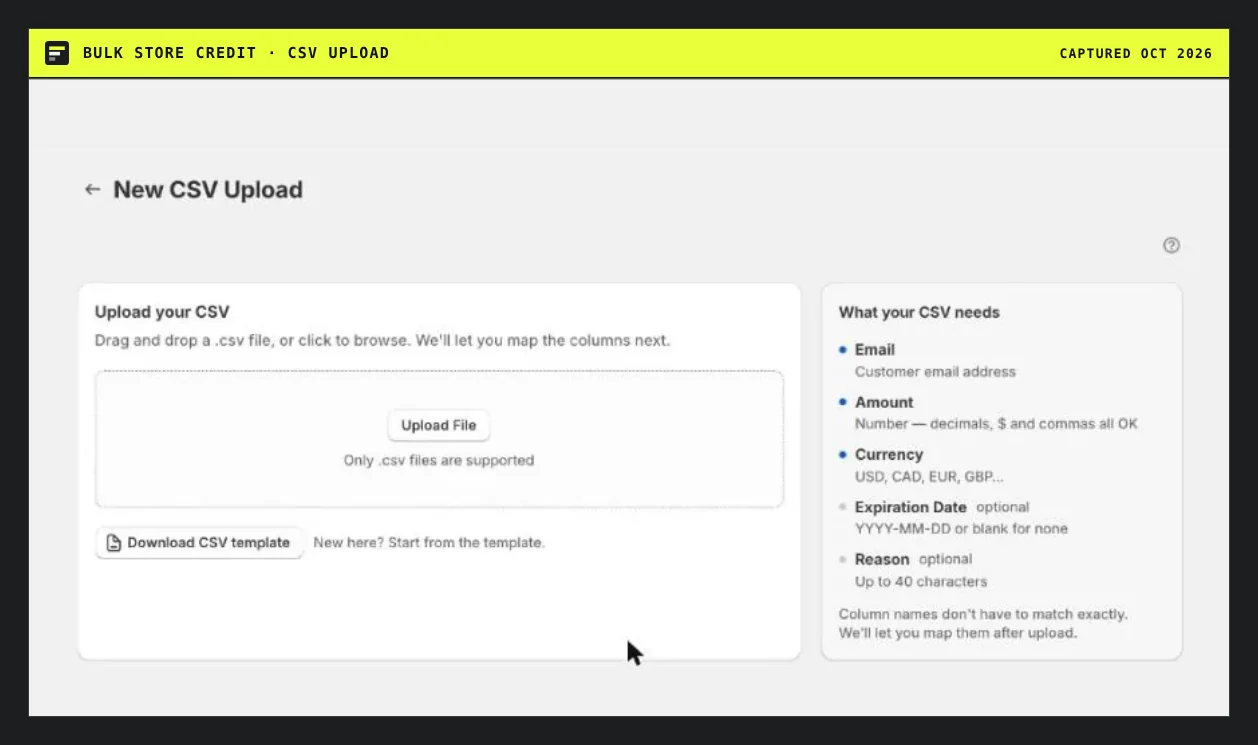
Bulk Store Credit's upload: drag a CSV in, then map your own column names.
The bulk CSV upload handles the many-customers case. Post-purchase campaigns reward buyers after an order. A floating balance display shows customers what they hold. All of it sits on Shopify's own store credit accounts, so the credit shows in the same admin reports. Scores for the whole category are on the store credit ranking.
A rule of thumb
Under about 20 customers a month, stay native. Between 20 and a few hundred in a one-time batch, the free plan covers 20 rows and a paid plan covers the rest. If you do this every month, the $49 Pro plan replaces hours of admin work. Read the Bulk Store Credit review before you install.
Questions people ask
Does Shopify have built-in store credit?
Yes. It is on by default under Settings, Customer accounts. You can issue it per customer, refund orders to it, set an expiry per issuance, and customers apply it at checkout when signed in. It is not available for legacy customer accounts.
What are the limits of Shopify native store credit?
The admin flow is one customer at a time, only the full balance can be applied, it cannot be used on draft or edited orders, there is no store-wide default expiry, and an account must stay under $15,000 USD. Each account holds one currency.
Can I use Shopify Flow to give store credit?
The Flow actions reference we read lists no store credit action, though the Send Admin API request action can call most mutations. A community reply from March 2025 says the storeCreditAccountCredit mutation became available. Treat that as a community statement, not official documentation.
Do I need an app for store credit on Shopify or is native enough?
Native is enough for one-off credits and refunds. An app earns its cost when you credit lists of customers, send apology credit after a shipping delay, or reward every purchase automatically.